Open-house friendly
Ask what time guests plan to stop by, so the food lasts the whole afternoon.
SimplyRSVP for graduation parties
Graduation season is busy: ceremonies, open houses and parties stacked into a few weekends. A graduation party site makes the details easy to find and the RSVPs easy to count.
Put the graduate front and centre with a photo and the class year, share an open-house window, and watch the replies come in.
Made for the occasion
Ask what time guests plan to stop by, so the food lasts the whole afternoon.
Add gift ideas, or a contribution item toward college or a first apartment that guests can put money toward together.
Upload your own photos, or search a library of free stock photography, without leaving the design studio.
Add a QR code to your graduation announcements and the whole family reaches the site with one scan.
Designs
Start from a finished design and make it yours in the studio: your words, photos, colours and fonts, laid out separately for phones, tablets and computers.
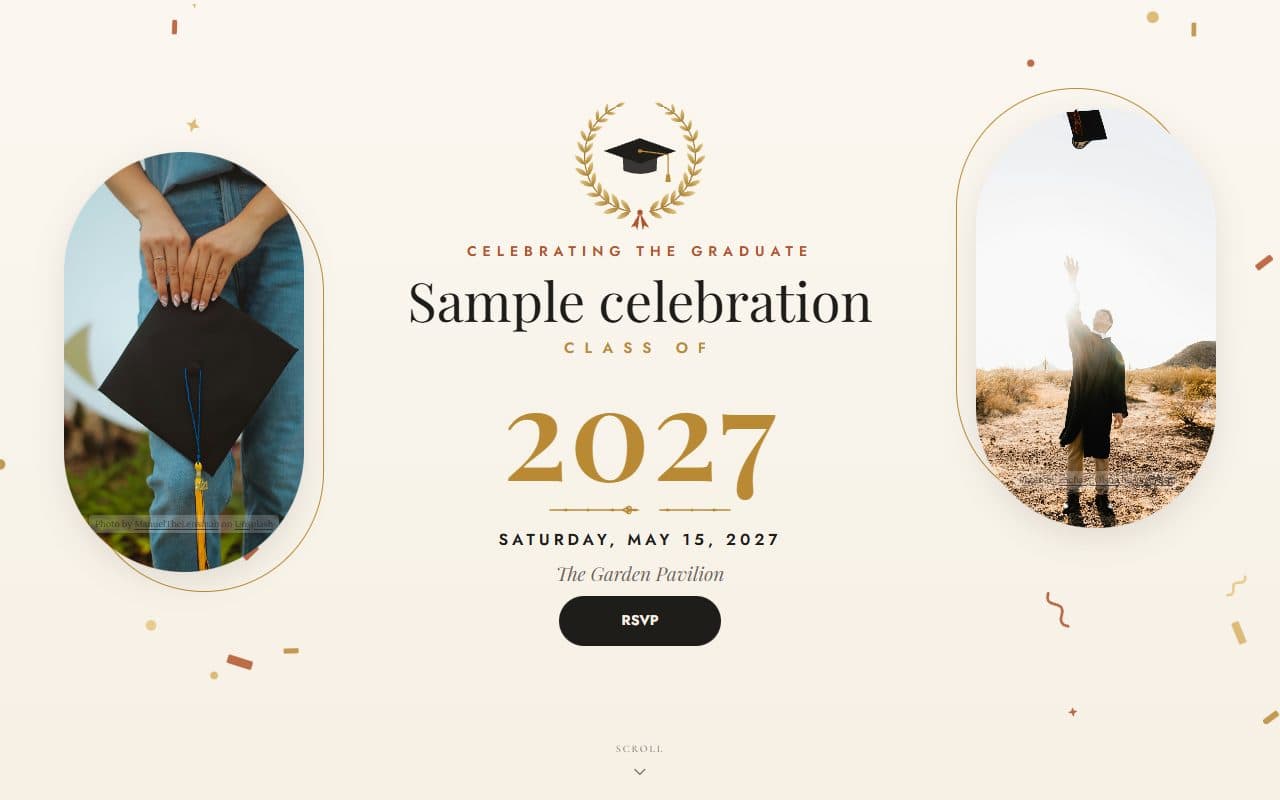
Graduation
A gilded laurel crest, a statement class year and sunlit photography to celebrate a graduate in style.
Conference
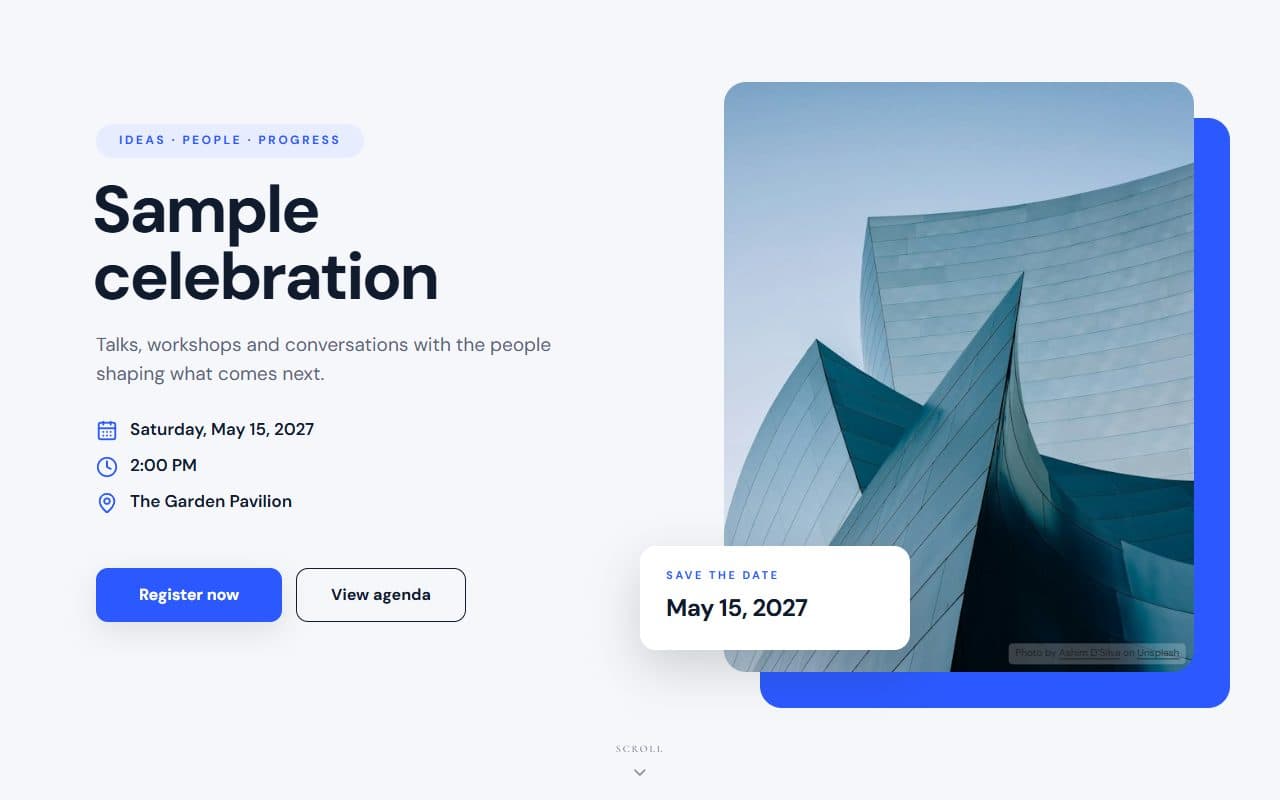
A crisp editorial layout with architectural photography, electric-blue accents and a clear agenda for summits and meetups.
Birthday
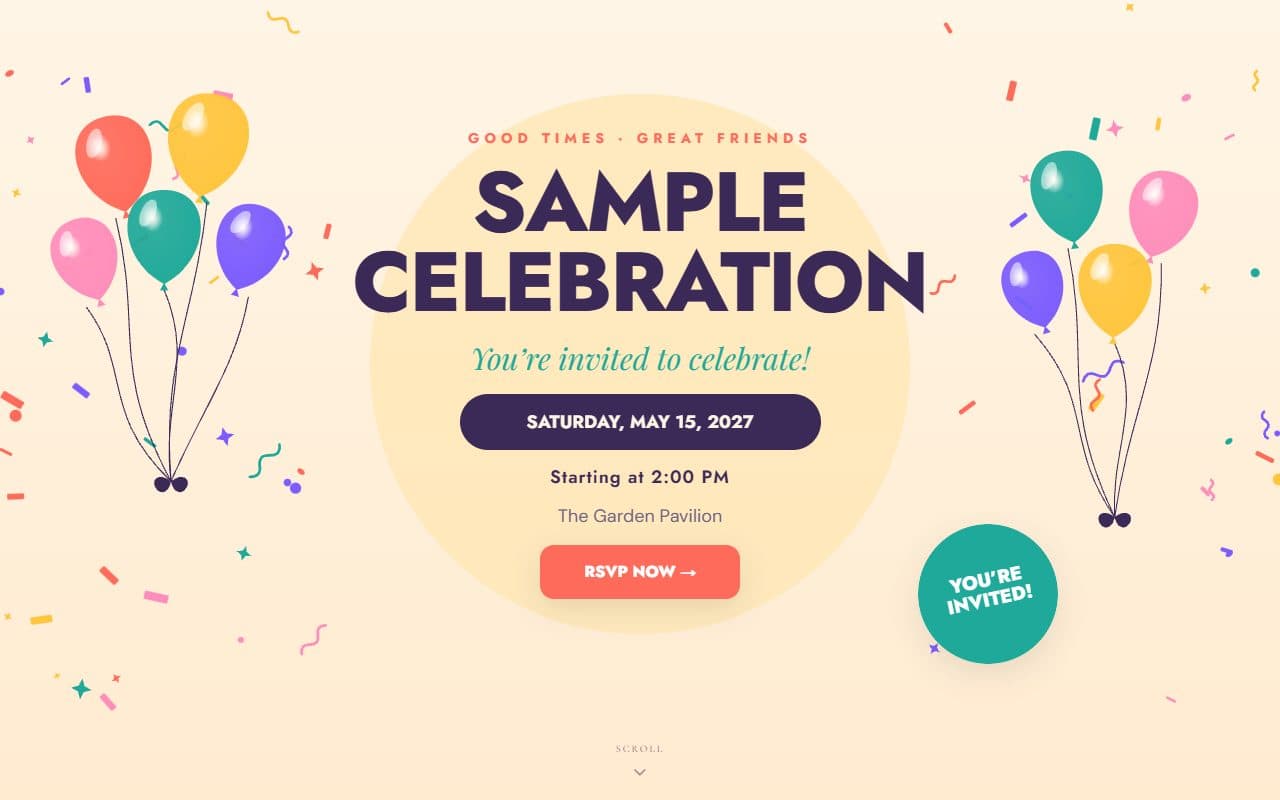
Glossy balloons, falling confetti and bold, bright type for a party everyone will remember.
Your RSVP, your questions
Add your own questions to the RSVP form: open answers, numbers, choices, a 1–5 scale or a ranking. Follow-ups and notices can appear only for the guests they apply to. A few ideas:
What time will you stop by?
Single choice1–2 pm, 2–3 pm or 3–4 pm
How many in your party?
NumberLeave a message for the graduate
Open-endedHow it works
Pick one of the graduation parties templates, or any other, and add your names, date and venue.
Build your guest list, choose who can bring others, and add any questions you want answered.
Send personal invitation links or print a QR code. RSVPs arrive on your dashboard as guests reply.
Questions
Three to four weeks before, and earlier in May and June when families have several parties to fit in.
Yes. Download a QR code in your site’s colours as a print-ready PNG or SVG and add it to the card.
Yes. Decide how many additional guests each invitation allows, and guests add their names when they reply.
Free to start. Your site is live in minutes, and guests reply from any phone.
Create your site